Computer Repair and Maintenance Services in Uganda
Keep business computers reliable, responsive, and ready for work. Toptecvalley provides computer repair and maintenance services in Uganda for laptops, desktop computers, office workstations, and business computing environments—helping diagnose faults, address performance problems, maintain devices, and identify practical next steps.
Share the symptoms, affected device, and business impact. Technical detail can follow during assessment.
Laptop & Desktop Support
Support for common workplace computer problems and device issues.
Business Computer Maintenance
Practical maintenance for office computers and workstations.
Diagnostics & Troubleshooting
Structured assessment of hardware, software, and performance symptoms.
Computer Problems Can Quickly Become Business Problems
A slow, unstable, overheating, or unreliable computer is more than a technical inconvenience. It can interrupt employees, delay customer service, affect access to business applications, and reduce productivity. Recognising the warning signs early can help prevent a manageable device problem from becoming a larger operational disruption.
Slow Computer Performance
Applications take too long to open, routine tasks feel increasingly sluggish, or the computer struggles under normal workloads.
Startup & Boot Problems
The computer takes unusually long to start, fails during startup, repeatedly restarts, or does not reach the normal working environment.
Frequent Freezing or Crashes
Programs stop responding, the system freezes during normal use, or unexpected crashes repeatedly interrupt work.
Overheating & Unexpected Shutdowns
Excessive heat, unusually loud cooling activity, or sudden shutdowns may indicate a problem that requires assessment.
Hardware Component Problems
Storage devices, memory, keyboards, screens, power components, or other hardware may show signs of failure or unreliable operation.
Software & Operating System Issues
Operating system errors, application conflicts, failed updates, or recurring software problems can make a computer difficult to use reliably.
Diagnose the Cause Before Choosing the Fix
Similar symptoms can have different causes. Slow performance, for example, may relate to storage limitations, software behaviour, system configuration, hardware condition, or workload demands. A structured assessment helps avoid guessing and supports a more appropriate next step.
Computer Repair Solutions for Hardware and Software Problems
Computer problems can originate from hardware condition, software behaviour, operating system issues, configuration conflicts, storage limitations, or several factors working together. Toptecvalley provides structured computer diagnostics, repair support, troubleshooting, and practical recommendations for laptops, desktop computers, office workstations, and business computing environments in Uganda.
Computer Diagnostics Before Repair Decisions
Similar symptoms can point to different underlying causes. A computer that feels slow may be affected by storage constraints, software behaviour, system configuration, hardware condition, workload demands, or a combination of factors. Structured diagnostics help identify what deserves attention before repair, replacement, upgrade, or maintenance decisions are made.
Hardware Condition
Review signs of component faults, instability, or physical device problems.
Software Behaviour
Assess recurring errors, application conflicts, and abnormal system behaviour.
System Performance
Examine slow response, startup delays, resource pressure, and workload limitations.
Problem Context
Consider when the issue occurs, what changed, and how the device is used.
Laptop Repair Support
Assessment and repair support for laptop performance problems, startup issues, hardware symptoms, software faults, connectivity concerns, and other problems affecting reliable use.
Desktop Computer Repair
Troubleshooting and repair support for desktop computers and office workstations experiencing instability, component problems, startup failures, or degraded performance.
Hardware Fault Troubleshooting
Structured assessment of suspected hardware problems involving storage, memory, power, displays, keyboards, cooling, and other computer components.
Operating System Troubleshooting
Support for operating system errors, startup problems, failed updates, configuration issues, and recurring system behaviour that affects normal computer use.
Software Problem Resolution
Investigation of application conflicts, recurring software errors, installation problems, abnormal behaviour, and other issues that interfere with everyday work.
Performance Optimisation
Assessment of slow response, delayed startup, resource pressure, storage limitations, and other factors that may be reducing practical computer performance.
Component Replacement & Upgrade Support
Practical guidance and support where a faulty, limiting, or unsuitable component may need replacement or where an upgrade could improve the device’s usefulness.
Computer Maintenance Services for More Reliable Everyday Use
Regular computer maintenance can help identify developing issues, reduce avoidable performance problems, improve system housekeeping, and support more reliable day-to-day use. Toptecvalley provides practical maintenance support for laptops, desktop computers, office workstations, and business computing environments in Uganda, with attention to device condition, software behaviour, system performance, and actual usage needs.
Practical Care Across the Computer Environment
Maintenance needs vary according to device condition, age, workload, operating environment, software configuration, and how the computer is used. The appropriate maintenance activities should therefore be based on actual needs rather than a fixed checklist applied blindly to every device.
Physical Condition Review
Review visible device condition, ventilation concerns, connection issues, signs of wear, and other physical factors that may deserve attention.
System Health Review
Examine recurring warnings, abnormal behaviour, startup concerns, storage pressure, and other indicators that may affect reliable computer use.
Software Housekeeping
Review unnecessary software, recurring application problems, update concerns, and other software conditions that may contribute to poor everyday performance.
Performance Review
Assess slow response, startup delays, workload pressure, storage limitations, and other practical factors influencing system performance.
Update & Configuration Review
Review relevant operating system, application, driver, and configuration concerns where they affect stability, compatibility, or normal use.
Maintenance Recommendations
Provide practical next-step guidance where maintenance findings suggest repair, configuration changes, component replacement, upgrades, monitoring, or further assessment.
A Clear Process From Initial Assessment to Service Completion
Computer problems are easier to handle when the service process is clear from the beginning. Toptecvalley follows a structured approach that starts with understanding the reported issue, continues through assessment and appropriate technical work, and ends with verification, practical guidance, and an agreed completion or handover stage.
Tell Us What Is Happening
Share the symptoms, error messages, recent changes, performance concerns, or other behaviour you have noticed. Clear context helps establish a useful starting point for assessment.
Review the Device and Reported Concern
The device and available context are reviewed to better understand the reported issue, identify obvious concerns, and determine what further checks may be appropriate.
Identify the Likely Cause and Appropriate Next Step
Where further investigation is required, relevant checks are used to narrow the problem and determine whether the sensible next step is repair, configuration work, maintenance, upgrade, replacement, monitoring, or further assessment.
Carry Out the Appropriate Technical Work
Appropriate work is carried out according to the identified issue, practical requirements, available options, and any relevant agreement about the service direction.
Review the Result After Service Work
Relevant behaviour is checked after the agreed work to determine whether the original concern has changed and whether any additional issue remains visible within the service context.
Close the Service With Practical Next Steps
Where appropriate, the service concludes with practical guidance about device use, future maintenance, monitoring, upgrades, replacement considerations, or other next steps identified during the work.
Useful Information Can Improve the Starting Point
Where available, sharing accurate details about the problem can help establish context before deeper assessment begins.
When It Started
Approximate timing of the first noticeable problem.
What Changed
Recent software, hardware, update, or configuration changes.
What You Observed
Error messages, unusual behaviour, or recurring symptoms.
What You Already Tried
Previous troubleshooting or service attempts.
Some Cases Need Additional Time, Parts, or Decisions
Computer repair work can depend on fault complexity, device condition, parts availability, compatibility, previous repair history, data considerations, and whether further testing is required. A responsible process should reflect those realities rather than promise the same outcome or turnaround for every case.
Complexity Varies
Different faults require different levels of assessment.
Parts May Be Required
Availability and compatibility can affect the service path.
Further Assessment May Be Needed
Some cases need more evidence before a sensible decision.
Computer Support for Individuals, Professionals and Businesses
Computer problems affect people differently depending on how devices are used, how much work depends on them, and whether the issue involves one computer or a wider workplace environment. Toptecvalley supports a range of users across Uganda with practical computer repair, maintenance, troubleshooting, and related IT support pathways based on the situation.
Home and Personal Users
Support for individuals dealing with laptop or desktop problems that affect everyday tasks, communication, study, personal projects, entertainment, or access to important files and applications.
- Slow computer performance
- Startup and shutdown problems
- Software or application issues
- Hardware concerns
- Upgrade decisions
- General maintenance needs
Professionals and Independent Workers
Support for people whose computers are directly tied to daily work, client communication, administration, design, reporting, research, remote work, or other professional responsibilities.
- Unreliable work computers
- Performance limitations
- Software conflicts
- Peripheral problems
- Upgrade planning
- Recurring technical issues
Small and Growing Businesses
Support for businesses managing computers used across administration, sales, finance, operations, customer service, management, or other day-to-day workplace functions.
- Staff computer problems
- Repeated device issues
- Maintenance requirements
- Hardware replacement decisions
- Software and configuration concerns
- Broader IT support needs
Organisations and Expanding Workplaces
Where computer problems are connected to multiple users, shared systems, network access, infrastructure, security, or wider technology requirements, the appropriate path may extend beyond standalone device repair.
- Multiple affected computers
- Shared system concerns
- Network-related symptoms
- Recurring workplace disruptions
- Technology coordination needs
- Ongoing support requirements
A Practical Approach to Computer Repair and Technical Support
Computer repair decisions should be based on the actual problem, the condition of the device, how the computer is used, and whether the issue extends into software, networking, security, or a wider IT environment. Toptecvalley approaches support with that broader technical context in mind, helping individuals and organisations identify a sensible path forward.
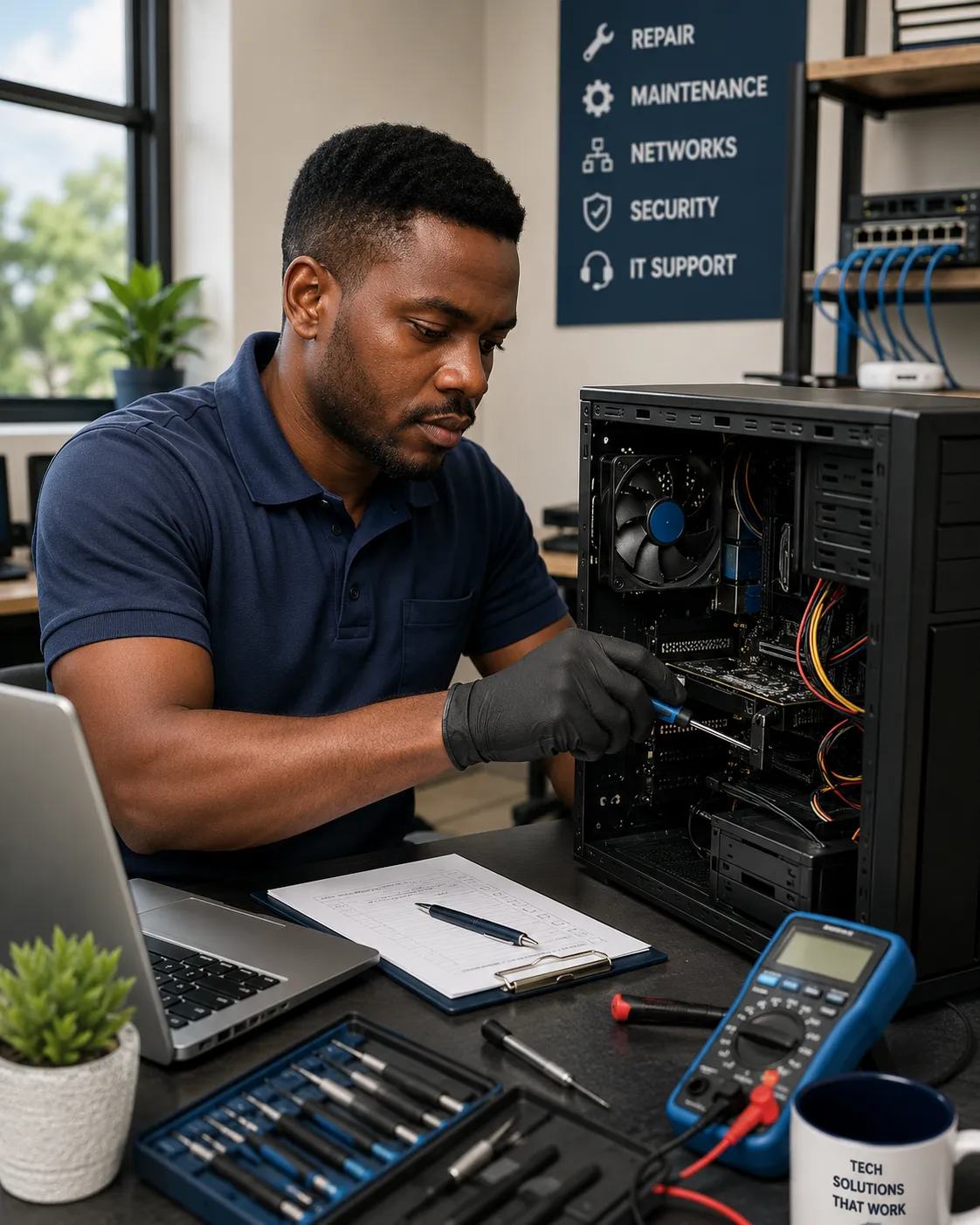
The appropriate support path depends on the symptoms, device condition, technical scope, and wider operating context.
Start With the Problem, Not a Guess
Similar symptoms can have different causes. A slow computer, failed startup, unstable application, overheating concern, or connectivity problem should not automatically lead to the same recommendation. The useful starting point is understanding the symptoms, device context, and likely scope of the issue.
Practical Options Based on the Situation
Depending on the issue, the sensible path may involve troubleshooting, maintenance, software correction, hardware attention, an upgrade decision, further assessment, or referral into a broader IT support pathway.
Computer Problems Viewed in a Wider IT Context
Some device problems are not isolated device problems. Symptoms can be connected to network access, shared systems, software environments, infrastructure, cybersecurity concerns, or other technology dependencies.
Clear Communication
Technical issues and available next steps should be explained in practical terms rather than buried in unnecessary jargon.
Security Awareness
Suspicious access, possible compromise, malware concerns, and other security-related symptoms may require a different pathway from routine repair.
Explore Cybersecurity Services →Support Grounded in Uganda
Device availability, parts sourcing, connectivity conditions, business environments, urgency, and support requirements can vary by local context.
Frequently Asked Questions About Computer Repair and Maintenance Services in Uganda
These answers cover practical questions about computer repair, maintenance, software problems, business support, network-related issues, and how to request technical assistance from Toptecvalley. The appropriate response to any fault still depends on the device, symptoms, condition, and wider technical context.
01 What computer problems can Toptecvalley help with?
Toptecvalley can help assess a range of desktop and laptop issues, including slow performance, startup problems, software errors, overheating concerns, connectivity difficulties, hardware-related symptoms, maintenance requirements, and other technical faults. The appropriate next step depends on the device, reported symptoms, condition, and wider technical context.
02 Do you support both laptops and desktop computers?
Yes. Support may involve laptops and desktop computers used by individuals, offices, organisations, and other professional environments. The exact service path depends on the device type, fault, available parts, condition, and whether the issue can be addressed through troubleshooting, maintenance, repair, upgrade, or another technical recommendation.
03 Can Toptecvalley help with a slow computer?
Yes. Slow performance can be associated with software configuration, storage limitations, insufficient system resources, background processes, malware concerns, ageing hardware, overheating, or other causes. A useful recommendation should be based on the likely source of the slowdown rather than assuming every slow computer needs the same fix.
04 Do you provide computer repair and maintenance support for businesses?
Yes. Toptecvalley supports business and organisational technology environments as well as individual computer users. Where a problem extends beyond one device into shared systems, networks, user access, software environments, or broader infrastructure, the issue may connect with a wider IT service pathway.
05 Can every faulty computer be repaired?
No. Promising that every computer can be repaired would be misleading. Repair feasibility can depend on the nature of the fault, device condition, component availability, cost, age, previous damage, and whether repair is technically or economically sensible. In some cases, maintenance, component replacement, an upgrade, specialist assessment, or device replacement may be the more practical path.
06 Can you help with computer software problems?
Yes. Software-related symptoms may include application failures, operating system issues, configuration problems, update difficulties, performance concerns, or conflicts between software and the wider computing environment. Where appropriate, support may also connect with software supply or broader IT support services.
07 What if the computer problem is caused by a network or security issue?
The support pathway should follow the actual problem. If symptoms appear connected to network access, shared infrastructure, suspicious activity, malware, unauthorised access, or a broader security concern, the issue may require specialist support rather than routine computer repair alone.
08 How do I request computer repair and maintenance support in Uganda?
Start by describing the device, the symptoms you are experiencing, when the problem began, whether the issue affects one computer or several users, and any troubleshooting already attempted. You can contact Toptecvalley through the Contact Us page or use WhatsApp for a direct conversation.
Computer Repair and Maintenance Support Across Uganda
Toptecvalley receives computer repair, maintenance, and technical support enquiries from individuals, businesses, and organisations in Uganda. The practical support pathway can vary according to location, device type, reported fault, urgency, parts requirements, remote troubleshooting feasibility, and whether the issue affects a single computer or a wider technology environment.
Computer Support Enquiries in Kampala
Individuals, offices, businesses, and organisations in Kampala can contact Toptecvalley regarding desktop and laptop faults, maintenance requirements, performance concerns, software problems, and wider technical support needs. The next step should be determined by the actual issue rather than assuming every request requires the same type of intervention.
Computer Repair Support Enquiries in Jinja
Toptecvalley can receive computer repair and maintenance enquiries from Jinja and other locations in Eastern Uganda. Customers should provide the device type, symptoms, urgency, and relevant background so that the request can be assessed and an appropriate starting point discussed.
Technical Support Enquiries Around Entebbe and Wakiso
Computer users and organisations around Entebbe and the wider Wakiso area can contact Toptecvalley regarding device faults, maintenance concerns, software-related symptoms, performance problems, and business technology support requirements. Service feasibility depends on the specific request and practical support pathway.
Computer Maintenance Enquiries in Western Uganda
Support enquiries from Mbarara and other locations in Western Uganda can be assessed according to the device, reported issue, urgency, technical requirements, and feasible method of assistance. Some cases may begin with information gathering or troubleshooting before a more specific recommendation is made.
Computer Technical Support Enquiries in Northern Uganda
Individuals, businesses, and organisations in Gulu and other parts of Northern Uganda can contact Toptecvalley to discuss computer faults and broader technical support requirements. The appropriate response depends on the actual problem, location, equipment involved, and whether the issue connects to a wider IT environment.
Need Support Somewhere Else in Uganda?
If your location is not listed above, contact Toptecvalley and describe where you are based, the device involved, the symptoms, the urgency, and any troubleshooting already attempted. A location not appearing in this section should not automatically be interpreted as unsupported; practical availability should be confirmed against the specific request.
When the Problem Extends Beyond One Computer
A device problem may sometimes be connected to shared networks, user access, software environments, cybersecurity concerns, or broader business infrastructure. In those cases, the appropriate support path may extend beyond routine computer repair and maintenance.
Need Computer Repair or Maintenance Support in Uganda?
Tell Toptecvalley what device you are using, what problem you are experiencing, where you are located in Uganda, and how urgent the issue is. Clear information helps make the first support conversation more useful and allows the request to be assessed against the actual technical context.
Describe the problem accurately. Repair feasibility, response path, parts requirements, and service availability depend on the actual request.
Computer repair decisions should follow the actual fault, device condition, technical context, and practical service requirements—not assumptions.