
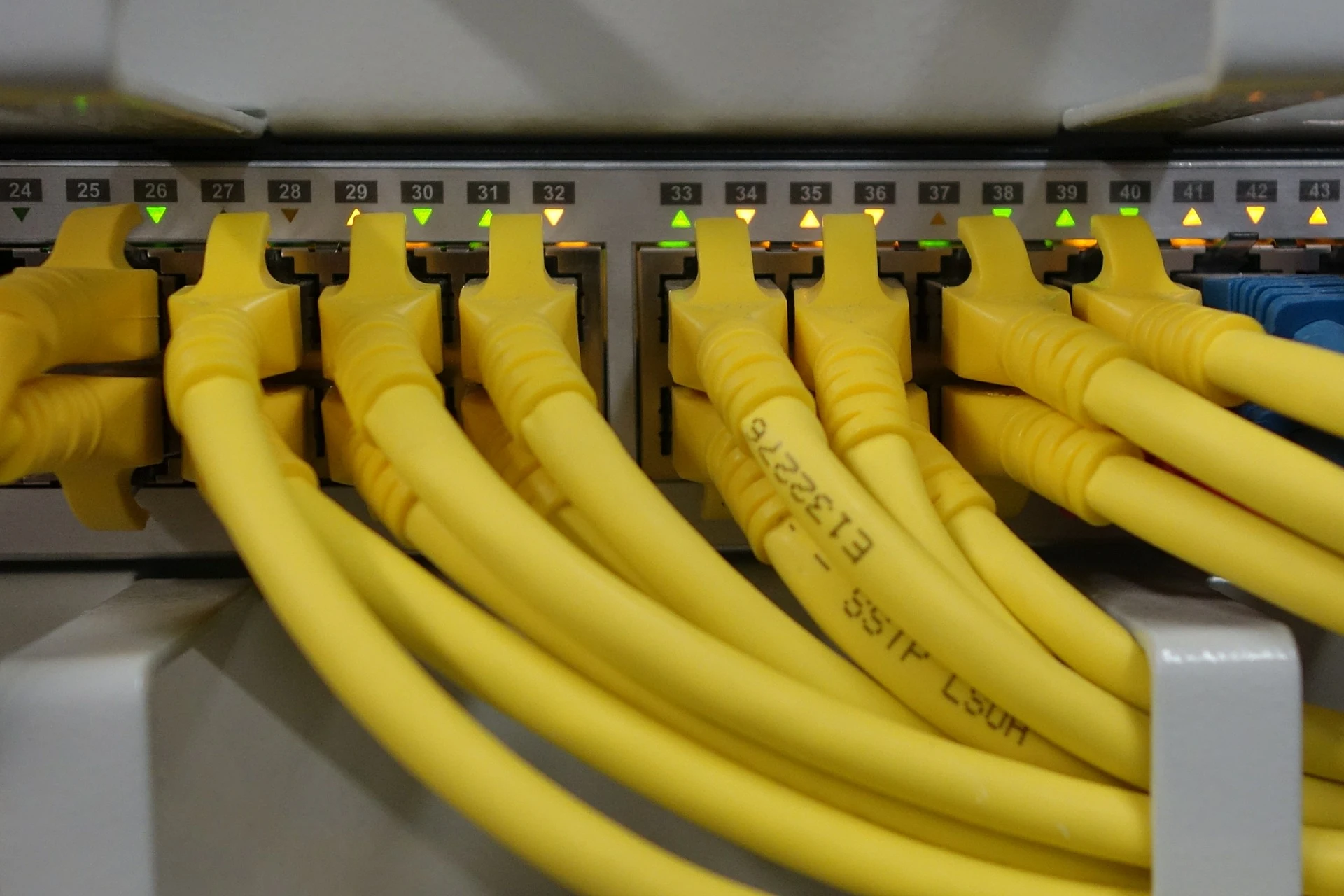
Networking Services Uganda for Reliable Business Connectivity
Build a network environment that supports how your organization actually works. Toptecvalley provides professional Networking Services Uganda businesses and organizations can use to plan, deploy, troubleshoot, improve, and support connectivity across users, devices, offices, applications, internet services, and shared operational systems.
Whether you are planning a new office network, expanding an existing environment, improving business Wi-Fi, configuring routers and switches, investigating recurring connectivity problems, or preparing for future growth, we help define the requirement before recommending the next practical step.
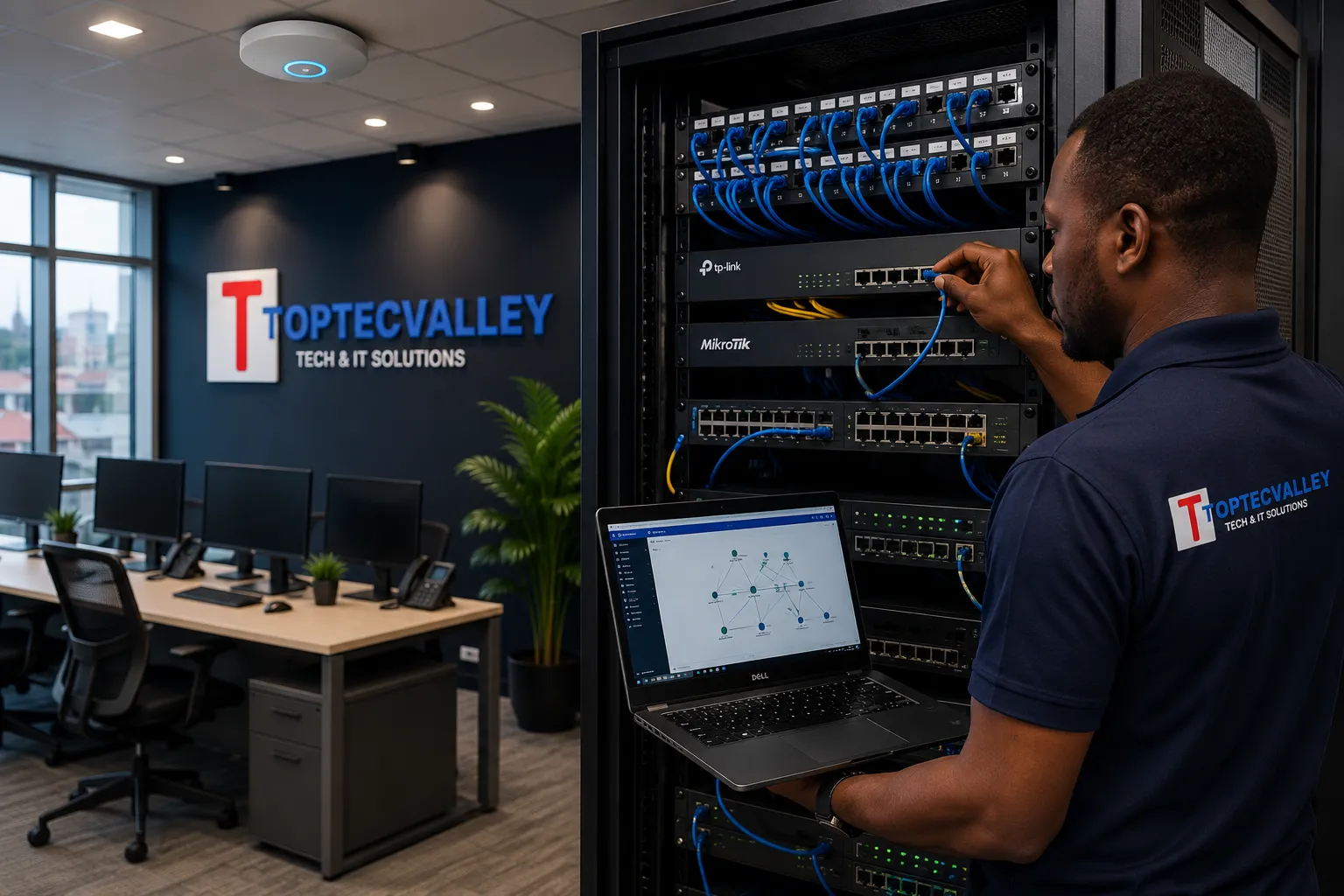
Plan the Network Around the Business
Users, devices, applications, coverage, connectivity, security boundaries, and future growth should shape the network requirement before equipment decisions are made.
When Business Network Problems Start Disrupting Operations
A business network does not need to fail completely before it becomes a serious operational problem. Slow connections, unstable Wi-Fi, recurring disconnections, poorly planned expansion, device congestion, and unreliable access to shared resources can gradually reduce productivity across an organization.
In many environments, the visible symptom is only part of the problem. A user may report that “the internet is slow,” while the underlying cause could involve wireless coverage, local network congestion, cabling faults, equipment limitations, configuration issues, DNS behaviour, competing traffic, or another part of the connectivity path. Effective troubleshooting begins by separating symptoms from causes.
Unstable or Intermittent Connectivity
Users connect successfully and then lose access unexpectedly, applications become unreliable, or devices repeatedly disconnect and reconnect. Intermittent faults can be difficult to isolate because the network may appear normal between incidents.
Interrupted work, failed sessions, repeated support complaints, and unpredictable access to business systems.
Slow Network Performance
Files take too long to transfer, shared systems respond poorly, cloud applications feel inconsistent, or several users experience degraded performance during busy periods.
Longer task completion times, frustrated users, reduced application responsiveness, and difficulty distinguishing local network problems from internet-service limitations.
Wi-Fi Dead Zones and Weak Coverage
Staff may have strong connectivity in one part of a building but unreliable service in meeting rooms, offices, corridors, upper floors, or other operational areas.
Users move around searching for a usable signal, mobile devices disconnect, and teams depend on inconsistent workarounds.
Network Growth Without Proper Planning
New users, computers, printers, access points, CCTV systems, phones, applications, or departments are added over time without reviewing whether the existing network was designed for the expanded environment.
Congestion, confusing infrastructure, overloaded equipment, inconsistent configurations, and increasingly difficult troubleshooting.
Shared Devices and Resources Become Unreliable
Network printers, shared storage, internal systems, or other connected resources may work for some users but fail for others, disappear unexpectedly, or become inaccessible after network changes.
Repeated interruptions, manual workarounds, duplicated effort, and unnecessary pressure on staff responsible for technical support.
Poorly Documented Network Infrastructure
Cables, switch ports, access points, routers, IP settings, network segments, and equipment roles may have changed over time without reliable documentation.
Every fault takes longer to investigate, upgrades become riskier, and organizations become dependent on assumptions or individual memory.
What Persistent Network Problems Can Affect
Recurring connectivity faults rarely stay isolated to one technical symptom. Over time, they can influence how staff work, how systems respond, how shared resources are used, and how confidently the organization can expand.
Recurring network problems should not automatically lead to random equipment replacement. The next step is to understand the environment, identify the likely cause, and determine which networking service or improvement is actually appropriate.
Networking Services Built Around Real Business Requirements
Effective business networking starts with understanding the environment that needs to be connected. Toptecvalley provides Networking Services Uganda businesses and organizations can use for new deployments, existing network improvements, office expansion, connectivity troubleshooting, infrastructure changes, and ongoing operational support.
The appropriate approach depends on factors such as the number of users and devices, building layout, applications, internet services, shared resources, wireless coverage expectations, existing equipment, security boundaries, and future growth. We help establish the requirement before determining what should be configured, expanded, replaced, or retained.
Network Assessment & Planning
Review existing conditions or define requirements for a new environment before deployment decisions are made. This may include users, devices, applications, physical layout, connectivity dependencies, shared resources, current infrastructure, and expected growth.
Better decisions before equipment, cabling, and configuration work begins.
LAN Design & Deployment
Plan and implement local area network environments that connect business users, computers, printers, servers, access points, and other authorized network resources.
A clearer connectivity foundation for day-to-day business operations.
Business Wi-Fi Deployment & Improvement
Support wireless environments where coverage, capacity, access point placement, building layout, device density, and practical usage requirements need to be considered together.
Wireless connectivity planned around actual working areas rather than guesswork.
Router & Switch Configuration
Configure or improve network equipment according to the role it needs to perform within the environment, rather than treating every router or switch as an isolated device.
More deliberate use of network infrastructure and fewer undocumented configuration changes.
Network Expansion & Office Changes
Extend or adapt network environments when organizations add staff, devices, departments, floors, work areas, or new office locations.
Growth handled as an infrastructure requirement rather than a chain of temporary fixes.
Network Troubleshooting & Performance Improvement
Investigate recurring connectivity symptoms before assuming that equipment replacement is the correct answer. The objective is to narrow down likely causes and determine the most practical corrective action.
Better troubleshooting decisions based on evidence rather than random replacement.
Additional Networking Capabilities
Supporting requirements often sit across several parts of the network environment. These capabilities can form part of a wider deployment, improvement, troubleshooting, relocation, or expansion requirement.
Reliable connectivity depends on more than individual services. Routers, switches, access points, structured cabling, racks, patch panels, uplinks, and other infrastructure components must work together as part of the same operational environment.
The Infrastructure Behind a Reliable Business Network
Reliable business connectivity depends on how network components are selected, positioned, interconnected, configured, and maintained as part of the same environment. Routers, switches, wireless access points, structured cabling, patch panels, racks, uplinks, and internet handoff points each perform different roles, but weaknesses in one area can affect the performance and manageability of the wider network.
Toptecvalley approaches network infrastructure as an operational system rather than a collection of individual devices. The appropriate design depends on the site, number of users and endpoints, physical layout, applications, connectivity requirements, existing infrastructure, security boundaries, and expected growth.
How Connectivity Moves Through the Environment
Business connectivity is a chain. Performance, reliability, and fault symptoms can be influenced at different points between the service entering the site and the users, devices, and shared resources that depend on it.
Routers & Network Edge
Routers help connect internal network environments with external connectivity and may perform important traffic, addressing, and access functions depending on the design.
The network edge should reflect the environment it supports rather than remain an undocumented default configuration.
Network Switches
Switches connect wired devices and infrastructure within the local network. Their role may involve users, printers, servers, access points, uplinks, CCTV systems, phones, or other authorized endpoints.
Poor switch planning can create capacity limitations, confusing connections, and difficult fault isolation.
Wireless Access Points
Access points provide wireless connectivity across defined working areas. Effective deployment depends on more than simply adding stronger equipment.
Wireless performance is shaped by the environment, not just the specification printed on the device box.
Structured Network Cabling
Structured cabling provides the physical pathways that connect network equipment, users, access points, printers, and other wired resources.
A configuration change cannot correct a damaged, poorly terminated, or badly organized physical connection.
Patch Panels & Termination
Patch panels and organized termination points help create clearer relationships between permanent cabling, switch ports, work areas, and connected services.
Clear termination reduces guesswork when faults, moves, additions, or changes occur.
Network Racks & Equipment Placement
Racks and cabinets provide an organized environment for switches, patch panels, routers, power equipment, and other network components where appropriate.
Poor equipment placement makes maintenance harder and can turn routine changes into risky work.
Uplinks & Interconnection
Uplinks connect switches, floors, network areas, or other parts of the environment. These paths should be considered when traffic moves between different parts of the organization.
A network can have capable endpoint connections while still being constrained by weak interconnection paths.
Internet Handoff & Service Boundary
The point where an internet service enters the business environment is only one part of the overall connectivity path. Internal infrastructure still determines how that service reaches users and devices.
Not every “internet problem” is caused by the service provider, and not every slow network problem is internal.
Equipment Decisions Should Follow the Requirement
Infrastructure choices should reflect the actual operational environment. Device specifications alone do not determine whether a network will be suitable, manageable, or ready for future change.
Infrastructure creates the connectivity foundation, but wireless performance introduces its own challenges. Building layout, access point placement, device density, interference, roaming expectations, and working areas all influence whether business Wi-Fi performs reliably in practice.
Business Wi-Fi Designed Around How People Actually Work
Reliable business Wi-Fi depends on more than installing a powerful router or adding access points wherever the signal appears weak. Building materials, floor layout, user density, device numbers, interference, access point placement, uplink connectivity, application demands, and movement between working areas can all influence wireless performance.
Toptecvalley helps businesses and organizations assess, deploy, expand, and improve Wi-Fi environments based on actual coverage and operational requirements. The objective is not simply to make a wireless network visible across a site, but to create usable connectivity in the areas where people, devices, and business applications depend on it.
From Signal Complaint to Likely Root Cause
“The Wi-Fi is slow” describes a symptom, not a diagnosis. A better process identifies where the problem occurs, when it appears, what part of the connectivity path may be involved, and which corrective action addresses the actual weak point.
Six Factors That Shape Business Wi-Fi Performance
Wireless performance is influenced by the environment as a whole. These factors help explain why two sites using similar equipment can deliver very different results in day-to-day operation.
Coverage Across Working Areas
Wireless coverage should be considered across the areas where connectivity is actually required, including offices, meeting rooms, reception areas, operational spaces, floors, and other defined work zones.
A network can appear available while still delivering poor usability in important working areas.
Access Point Placement
Access point placement affects how wireless signals reach users and devices. Convenient installation positions are not always effective radio positions.
Poor placement can waste capable equipment and create unnecessary weak zones.
User & Device Density
Wireless demand changes when many users and devices operate within the same area. Coverage alone does not guarantee adequate capacity.
A strong visible signal can still deliver poor performance when demand exceeds practical capacity.
Building Layout & Materials
Walls, floors, partitions, structural elements, shelving, and other physical features can influence how wireless signals move through a site.
The same equipment can perform differently in two buildings with completely different physical conditions.
Interference & Competing Wireless Activity
Wireless performance may be affected by nearby networks, overlapping activity, environmental conditions, and other sources of radio competition.
Adding another access point without understanding the environment can make some wireless problems worse.
Wired Uplinks & Network Dependency
A wireless access point still depends on the wider network. Poor uplinks, switch limitations, cabling faults, internet constraints, or upstream configuration issues can appear to users as a Wi-Fi problem.
Strong wireless signal strength does not prove that the full connectivity path is healthy.
Before Adding More Access Points, Understand the Problem
Four basic questions can quickly improve the quality of a wireless investigation. They help separate a broad complaint from a more specific pattern that can be tested and addressed.
Business Environments We Can Support
Wireless requirements vary by layout, density, working patterns, applications, and existing infrastructure. Support should follow the conditions of the actual site rather than a one-size-fits-all deployment assumption.
Wireless performance is only one part of business connectivity. When a network becomes slow, unstable, intermittent, or difficult to manage, the next requirement is disciplined troubleshooting that separates symptoms from likely causes before corrective action is taken.
Find the Network Problem Before Trying to Fix It
Slow applications, intermittent connectivity, dropped sessions, unreachable devices, unstable internet access, and recurring network complaints can originate from different parts of the environment. A visible symptom does not automatically identify the underlying cause.
Toptecvalley approaches network troubleshooting by narrowing the problem systematically. We consider who is affected, where the issue occurs, when it happens, which services are involved, what recently changed, and which parts of the connectivity path can be tested. This reduces guesswork and helps avoid unnecessary equipment replacement or random configuration changes.
The Network Diagnostic Path
Effective troubleshooting moves from a broad complaint toward a narrower, testable fault domain. Corrective action should follow evidence rather than assumption.
Eight Common Network Problem Areas
Similar user complaints can originate from very different parts of the environment. The diagnostic questions below help narrow the investigation before corrective action is selected.
Slow Network Performance
Users may report slow file access, delayed cloud applications, poor browsing performance, or general network sluggishness.
- Is the issue local or site-wide?
- Does it affect wired and wireless users?
- Is performance worse at specific times?
- Are particular applications involved?
Intermittent Connectivity
Intermittent faults are often harder to investigate because services may appear normal when testing begins.
- How often does the issue occur?
- Is there a time pattern?
- Which users or locations are affected?
- Does connectivity recover automatically?
Complete Loss of Connectivity
A user, department, device group, or entire site may lose access to internal resources, internet services, or both.
- What remains reachable?
- Is the problem isolated or widespread?
- Did anything change recently?
- Are network devices operational?
Device Cannot Reach Shared Resources
A workstation or endpoint may have connectivity while still being unable to reach printers, servers, shared systems, or other internal resources.
- Can other devices reach the resource?
- Can the affected device reach anything else?
- Is the problem name-based or address-based?
- Is access intentionally restricted?
Internet Works but Internal Services Fail
External websites may remain accessible while internal resources, local applications, printers, or shared systems become unreachable.
- Which internal resources fail?
- Are they reachable by other users?
- Is the issue limited to one network area?
- Are local service dependencies available?
Internal Network Works but Internet Fails
Users may still reach local resources while external websites, cloud services, email platforms, or other internet-dependent systems fail.
- Is the problem site-wide?
- Is the provider handoff active?
- Can external addresses be reached?
- Is name resolution functioning?
Recurring Disconnections
Users may repeatedly lose sessions, calls, cloud access, or application connectivity even when service returns shortly afterwards.
- Are disconnections synchronized?
- Do they affect specific devices?
- Are wired and wireless users involved?
- Is there a repeatable pattern?
Problems After Changes
Network faults sometimes appear after equipment replacement, office moves, new cabling, software deployment, configuration changes, or the addition of new devices.
- What changed?
- When did the symptoms begin?
- Which dependencies were modified?
- Can the previous working state be compared?
Where Can a Network Problem Actually Live?
Troubleshooting becomes more efficient when the investigation narrows the fault to a smaller part of the environment instead of treating the entire network as one undifferentiated problem.
What Useful Troubleshooting Evidence Looks Like
Better evidence makes fault isolation faster and more defensible. The goal is to build a clearer picture of the incident before changing equipment, configurations, or dependencies.
Once a fault has been isolated and corrective action completed, the next challenge is reducing repeat incidents. Documentation, configuration discipline, preventive review, infrastructure organization, and planned maintenance all contribute to a network environment that is easier to support over time.
Build a Network That Is Easier to Maintain, Support & Trust
Business networks change over time. New users are added, devices are replaced, offices expand, cables are moved, access points are repositioned, switches gain additional connections, internet requirements increase, and temporary fixes can quietly become permanent dependencies.
Toptecvalley helps businesses and organizations improve network reliability through structured preventive review and maintenance. The objective is not to promise that failures will never occur. It is to identify avoidable weaknesses, improve operational visibility, reduce unmanaged change, and make the environment easier to troubleshoot when incidents do happen.
The Network Reliability Cycle
Preventive maintenance is more useful when inspection, verification, documentation, correction, and observation form a repeatable operating cycle rather than a one-time cleanup.
Preventive maintenance is not a one-time cleanup exercise. Network reliability improves when review, documentation, correction, and observation become part of an ongoing operational cycle.
Seven Preventive Maintenance Priorities
Reliable networks depend on more than equipment availability. Physical condition, configuration discipline, capacity awareness, documentation, lifecycle planning, and recurring incident patterns all influence long-term supportability.
Physical Infrastructure Review
Network reliability begins with the physical environment. Loose connections, damaged patch leads, poorly supported equipment, unmanaged cabling, obstructed ventilation, and unclear cabinet organization can complicate support and contribute to avoidable incidents.
- Visible cable condition
- Patch lead organization
- Equipment mounting
- Cabinet condition
- Power dependencies
- Ventilation concerns
A cleaner physical environment makes faults easier to identify and reduces unnecessary disturbance during support work.
Network Device Health & Availability
Switches, routers, access points, and other network devices should be reviewed in the context of their role, availability, operating condition, and importance to business connectivity.
- Device availability
- Unexpected restarts
- Recurring instability
- Interface condition
- Critical dependencies
- Signs of equipment stress
Repeated instability should not be accepted as normal simply because connectivity eventually returns.
Configuration Discipline
Uncontrolled configuration changes can create hidden dependencies, inconsistent behaviour, and difficult troubleshooting conditions.
- Known configuration changes
- Administrative access
- Unused or unclear settings
- Change history where available
- Appropriate configuration backups
- Consistency across related devices
A network is easier to support when important changes are intentional, traceable, and recoverable.
Capacity & Growth Review
A network that worked well for twenty users may behave differently after business growth, additional cloud applications, more wireless devices, new branches, or increased traffic demand.
- User growth
- Device growth
- Port utilization
- Wireless demand
- Uplink pressure
- Internet dependency
- New application requirements
Capacity problems are easier to manage when emerging constraints are recognized before they become persistent complaints.
Network Documentation
Documentation reduces dependence on memory and helps technical teams understand how important parts of the environment are connected.
- Device inventory
- Important network roles
- Addressing information where appropriate
- Key uplinks
- Service dependencies
- Site and cabinet references
- Support contacts
Good documentation shortens investigation time and reduces risky assumptions during incidents or changes.
Firmware, Software & Lifecycle Awareness
Network infrastructure ages. Vendor support changes, software versions become outdated, hardware limitations become more significant, and replacement planning becomes necessary.
- Device age
- Vendor support status
- Relevant firmware position
- Known operational limitations
- Compatibility concerns
- Replacement priorities
Lifecycle awareness helps businesses avoid discovering critical obsolescence only after a failure.
Recurring Incident Review
Repeated complaints often contain useful reliability information. A problem that disappears and returns should not automatically be treated as a series of unrelated incidents.
- Repeat user complaints
- Time patterns
- Repeated device failures
- Recurring link instability
- Location-specific symptoms
- Previous corrective actions
Recurring patterns can reveal underlying weaknesses that one-off troubleshooting may miss.
Temporary Recovery Is Not the Same as a Reliable Fix
Restarting equipment, moving a cable, reconnecting a device, or applying a quick workaround may restore service. That does not prove the underlying weakness has been removed. Where incidents recur, the environment should be reviewed for patterns, dependencies, and unresolved causes.
Temporary Recovery
Service returns now, but the reason for the failure may remain unclear or unresolved.
- Connectivity returns after a restart
- A cable is moved and service resumes
- A workaround restores short-term access
- The recurring pattern remains unexplained
Reliable Resolution
The underlying condition is investigated, corrected where practical, documented, and observed for recurrence.
- The fault domain is narrowed
- Corrective action addresses the identified weakness
- Important changes are documented
- Service behaviour is verified and observed
Not Every Network Issue Has the Same Business Impact
Preventive maintenance becomes more useful when identified issues are prioritized by operational impact, recurrence, dependency, and practical risk rather than treated as an undifferentiated list.
What a Maintainable Network Should Make Easier
Preventive maintenance should improve day-to-day supportability, not merely produce a longer checklist. A better-maintained environment should make important operational tasks clearer.
Reliable networks also depend on how infrastructure changes are planned and delivered. Office moves, business expansion, new branches, additional users, cloud adoption, surveillance systems, IP telephony, and other technology projects can all introduce new connectivity requirements that should be considered before deployment.
Expand & Upgrade Your Network Without Creating New Weaknesses
Business growth changes network requirements. More employees can mean more devices, more wireless demand, more switch ports, greater internet dependency, additional cloud traffic, new security considerations, and increased pressure on infrastructure designed for a smaller environment.
Toptecvalley helps businesses and organizations in Uganda assess, plan, and implement network expansion and upgrade requirements with attention to current conditions, operational dependencies, practical constraints, and future growth. The objective is not simply to add more equipment. It is to make change deliberate, supportable, and aligned with how the organization actually operates.
Business Change Creates Network Impact
Growth rarely affects only one part of the network. A new branch, additional users, cloud applications, surveillance deployment, or office expansion can create interconnected requirements across switching, wireless coverage, internet connectivity, addressing, security, documentation, and support.
Growth should be evaluated as a connected infrastructure change, not as a series of isolated equipment purchases.
Seven Common Expansion & Upgrade Scenarios
Different business changes create different technical requirements. The right response depends on users, devices, locations, applications, dependencies, and the condition of the existing environment.
Workforce & Device Growth
As employee numbers increase, the network may need to support additional computers, phones, printers, mobile devices, access points, and business systems.
- Available switch ports
- Wireless demand
- Addressing capacity
- Internet usage
- User location
- Device density
- Critical application access
Can the current network absorb growth without creating recurring congestion, unmanaged connections, or operational workarounds?
Office Expansion & Relocation
Moving offices, adding floors, occupying new rooms, or reorganizing departments can change cable routes, cabinet locations, wireless coverage, equipment placement, and service dependencies.
- Floor layout
- User locations
- Cable pathways
- Cabinet positioning
- Wireless coverage
- Power availability
- Service migration sequence
What must be ready before staff and systems depend on the new environment?
New Branch Connectivity
A new branch introduces more than an internet connection. The organization may need to consider access to business systems, cloud services, shared resources, support processes, security controls, and dependencies between locations.
- Branch user requirements
- Internet availability
- Shared application access
- Site-to-site dependencies
- Remote support
- Equipment standardization
- Failure impact
Which services must the branch access, and what happens operationally if connectivity is interrupted?
Wireless Network Expansion
Additional users, meeting spaces, mobile devices, warehouse operations, guest access, or changed office layouts can expose weaknesses in an existing wireless environment.
- Coverage requirements
- User density
- Device density
- Building materials
- Access point placement
- Interference conditions
- Guest and business access needs
Is the problem truly insufficient coverage, or is it capacity, interference, placement, upstream connectivity, or another dependency?
Cloud & Internet Dependency Growth
As organizations adopt cloud applications, hosted systems, online collaboration platforms, remote access, and internet-dependent workflows, connectivity becomes more closely tied to daily operations.
- Critical cloud applications
- Traffic growth
- Internet capacity
- Provider dependency
- Remote user requirements
- Business continuity needs
- Application performance symptoms
Which business processes now depend on external connectivity, and how significant is the impact when that access degrades?
IP Surveillance, Voice & Connected Systems
CCTV, IP telephony, access control, and other connected systems can introduce additional traffic, device counts, power requirements, switching dependencies, and support responsibilities.
- Device quantity
- Network paths
- PoE requirements
- Uplink capacity
- Traffic patterns
- Segmentation needs
- Critical service dependencies
Has the network been assessed for the additional operational load, or are new systems simply being attached to existing infrastructure?
Aging Infrastructure & Technology Refresh
Growth is not the only reason to upgrade. Existing equipment may become difficult to support, insufficient for current requirements, incompatible with newer systems, or increasingly dependent on temporary workarounds.
- Equipment age
- Vendor support status
- Capacity limitations
- Recurring incidents
- Compatibility constraints
- Replacement sequence
- Business-critical dependencies
Which components should be retained, upgraded, replaced, or monitored rather than changing everything at once?
Upgrade, Expand, Reconfigure — or Replace?
Network improvement does not automatically mean buying new equipment. The correct decision depends on current capability, operational requirements, supportability, compatibility, recurring problems, and evidence from the environment.
The correct answer depends on evidence. Replacing equipment unnecessarily wastes budget. Keeping unsuitable infrastructure for too long creates operational risk. A responsible upgrade plan should distinguish between what can remain, what should change, and what requires further observation.
The Toptecvalley Expansion Planning Framework
Network expansion should begin with a clear understanding of what is changing, what the business requires, and which existing dependencies could affect implementation.
Network expansion should not begin with a shopping list. It should begin with a clear understanding of what is changing, what the business requires, and which existing dependencies could affect implementation.
Poorly Planned Growth Creates Hidden Technical Debt
Temporary switches added under desks, undocumented cable extensions, unmanaged wireless devices, inconsistent configurations, overloaded uplinks, unclear addressing, and improvised workarounds may solve an immediate problem while making the network harder to support later.
Before a Major Network Change, Ask These Questions
A useful readiness review exposes missing assumptions before implementation. These questions help connect technical decisions to operational requirements and support responsibilities.
- What business change is driving the requirement?
- How many users and devices must be supported?
- Which applications and services are operationally important?
- What existing infrastructure will remain?
- Where are the current bottlenecks or recurring symptoms?
- Which systems depend on internet connectivity?
- Are additional switch ports or PoE capacity required?
- Has wireless coverage and density been considered?
- Are there branch, remote-access, or shared-service dependencies?
- What happens if the change does not work as expected?
- How will important changes be documented?
- Who will support the environment after implementation?
As networks expand, security becomes harder to treat as an afterthought. More users, devices, branches, wireless connections, cloud services, and connected systems can increase the number of access paths and operational dependencies that organizations need to understand and manage.
Strengthen Network Security by Controlling Access & Limiting Exposure
A functioning network is not automatically a secure network. When users, servers, printers, wireless devices, surveillance systems, guest devices, cloud-connected services, and administrative interfaces share infrastructure without clearly considered access boundaries, a single weakness can create wider operational exposure.
Toptecvalley helps businesses and organizations in Uganda assess practical network security requirements around segmentation, access control, wireless separation, device connectivity, administrative access, branch environments, and infrastructure configuration. The objective is not to promise absolute security. It is to reduce unnecessary exposure, improve control, and make access decisions more deliberate.
The Flat Network Problem
When unlike systems share broad access without justified boundaries, unnecessary communication paths can increase exposure and make incidents harder to contain.
When unlike systems share broad access without justified boundaries, unnecessary communication paths can increase exposure and make incidents harder to contain.
Segmentation is not about creating complexity for its own sake. It is about deciding which systems need to communicate, which do not, and where additional control is justified.
Seven Practical Network Security Control Areas
Effective network security is built through deliberate access decisions. These areas help organizations examine where broad connectivity, weak boundaries, unmanaged devices, or unclear responsibilities may create avoidable exposure.
Network Segmentation
Different users, devices, and systems may have different trust levels and operational requirements. Segmentation can help reduce unnecessary communication between unlike parts of the environment.
- Business departments
- Servers and shared services
- Guest users
- CCTV systems
- IoT devices
- Voice systems
- Management interfaces
Which systems genuinely need direct communication, and which connections exist only because the network was never deliberately separated?
Guest Wi-Fi Separation
Visitor devices should not automatically receive the same network reach as employee systems, printers, servers, or infrastructure management interfaces.
- Guest internet requirements
- Internal resource access
- Wireless isolation
- Authentication approach
- Usage expectations
- Bandwidth considerations
- Access duration
Can a guest or unmanaged device reach internal systems that it has no business reason to access?
Administrative & Management Access
Routers, switches, firewalls, wireless controllers, access points, and other infrastructure components often expose management interfaces that require deliberate protection.
- Administrator accounts
- Default credentials
- Management reachability
- Remote administration
- Configuration access
- Privilege assignment
- Change responsibility
Who can administer network infrastructure, from where, and through which approved access path?
Device & Endpoint Connectivity
Networks increasingly support employee computers, mobile devices, printers, cameras, phones, access-control systems, and other connected equipment with different security characteristics.
- Known devices
- Unknown endpoints
- Device purpose
- Connection method
- Business ownership
- Support responsibility
- Appropriate access level
Does every connected device need the same level of network access simply because it has successfully connected?
Firewall & Traffic Policy Review
Firewall presence alone does not prove that traffic is appropriately controlled. Rules can become outdated, overly broad, duplicated, poorly documented, or disconnected from current business requirements.
- Current business services
- Inbound exposure
- Outbound dependencies
- Legacy rules
- Remote access
- Branch connectivity
- Rule ownership
Can important traffic rules still be explained in terms of a current and legitimate business requirement?
Branch & Remote Connectivity
Connectivity between offices, branches, remote users, and shared services can create valuable operational access while also increasing the importance of clear trust boundaries.
- Site-to-site requirements
- Shared applications
- Remote administration
- User access needs
- Failure impact
- Authentication
- Access scope
Does connecting two locations unintentionally create broader access than the business actually requires?
Configuration, Change & Review Discipline
Security controls weaken when nobody can explain why a rule exists, who approved a change, what systems depend on it, or whether temporary access was ever removed.
- Configuration records
- Change approval
- Temporary rules
- Access reviews
- Backup practices
- Ownership
- Periodic validation
Can the organization distinguish between intentional access, historical access, temporary access, and access that is no longer required?
Allow, Restrict, Isolate — or Deny?
Good access control is not based on blocking everything blindly or allowing everything for convenience. The objective is to match access with legitimate operational need while reducing unnecessary reach.
Access decisions should be explainable. If nobody can identify why a communication path exists, who depends on it, or who owns the requirement, the environment deserves further review.
The Toptecvalley Network Security Review Framework
Security changes should not be made blindly. Poorly planned restrictions can disrupt legitimate business services, while overly permissive configurations can preserve unnecessary exposure.
The objective is not to create restrictions for appearance. Controls should reflect real business requirements, actual dependencies, and the operational consequences of change.
Security Controls Can Fail Quietly
A network can appear operational while security controls have gradually weakened. Old firewall rules may remain active. Former administrators may retain access. Temporary exceptions may become permanent. Guest networks may reach internal resources. New devices may be connected without review. Management interfaces may be exposed more broadly than intended.
Questions Worth Asking About Your Current Network
A practical review should expose unclear access, unmanaged exceptions, weak administrative boundaries, and dependencies that exist without a current business justification.
- Are guest devices separated from internal business systems?
- Can ordinary users reach infrastructure management interfaces?
- Are default credentials still present on any network devices?
- Which users can administer routers, switches, firewalls, or access points?
- Are CCTV and IoT devices separated where appropriate?
- Can old firewall rules still be tied to current business requirements?
- Are branch connections broader than operationally necessary?
- Is remote administration restricted and understood?
- Are temporary access exceptions reviewed and removed?
- Are unknown or unmanaged devices visible to the support team?
- Are configuration changes documented sufficiently for future support?
- Can critical access paths be explained without relying on one person’s memory?
Security controls are most effective when the underlying network is understood. Without useful documentation, organizations can struggle to identify dependencies, explain configurations, troubleshoot incidents, plan changes, or determine which systems and access paths are operationally important.
Frequently Asked Questions About Networking Services in Uganda
Businesses often contact Toptecvalley when they are planning a new office network, dealing with unreliable connectivity, or expanding an existing environment. The answers below explain how we approach common networking requirements in Uganda, including Wi-Fi improvement, shared devices, recurring faults, infrastructure planning, and the information that can help us assess the next practical step.
Service Scope & Suitability
Understanding where Toptecvalley can help and how network requirements are assessed.
01 What networking services does Toptecvalley provide?
Toptecvalley provides business networking services covering network assessment and planning, LAN environments, business Wi-Fi, router and switch configuration, network expansion, office connectivity, segmentation considerations, shared-resource connectivity, troubleshooting, performance improvement, and practical documentation. The exact scope depends on the existing environment, number of users and devices, physical site, business applications, connectivity requirements, and the problem being addressed.
02 Can you help with a new office network?
Yes. We can help define networking requirements for new offices and other business environments, including user and device needs, internet connectivity, wired and wireless access, equipment placement, switching and routing requirements, shared resources, segmentation considerations, and future expansion. We do not treat every new office as an identical installation because a small team in one room has different requirements from a multi-floor or multi-department environment.
03 Can you improve an existing business network?
Yes. An existing network does not always need to be replaced completely. We can review the current environment, identify visible limitations, investigate recurring problems, and determine whether improvement may involve configuration changes, better Wi-Fi planning, cabling correction, switch or router changes, segmentation, equipment repositioning, capacity planning, or selective replacement. Recommending a full rebuild before understanding the existing network can waste money.
Troubleshooting & Performance
Common questions about slow networks, Wi-Fi gaps, and recurring disconnections.
04 Do you troubleshoot slow office networks?
Yes. Slow network performance can have several causes, including congestion, Wi-Fi interference, poor signal conditions, cabling faults, port problems, configuration inconsistencies, DNS-related symptoms, overloaded equipment, internet limitations, or application-specific dependencies. The correct approach is to investigate the symptoms and environment before assuming that replacing the router or increasing internet bandwidth will solve the problem.
05 Can you help with Wi-Fi dead zones?
Yes. Wi-Fi dead zones and weak coverage can be influenced by building layout, walls, distance, access point placement, interference, device density, floor structure, and the capabilities of existing equipment. We can review the environment and help determine whether the practical response involves access point repositioning, additional coverage, configuration changes, channel planning, equipment changes, or a broader wireless redesign. We do not promise universal “100% coverage” without assessing the actual site.
06 Can you help when devices keep disconnecting?
Yes. Repeated disconnections may be related to wireless signal conditions, interference, DHCP behaviour, IP conflicts, cabling problems, unstable ports, equipment limitations, configuration issues, roaming behaviour, power conditions, or upstream connectivity. Because several faults can produce similar symptoms, diagnosis should focus on identifying patterns and likely causes rather than repeatedly restarting equipment and hoping the problem disappears.
Infrastructure & Network Architecture
Routers, switches, segmentation, shared devices, complex sites, and structured cabling.
07 Do you configure routers and switches?
Yes. Toptecvalley can assist with router and switch configuration as part of an agreed business networking requirement. Depending on the environment, this may involve connectivity settings, port configuration, uplink relationships, network ranges, VLAN considerations, segmentation, device integration, and validation. Configuration work should be based on the role of the equipment within the wider network rather than applying settings without understanding dependencies.
08 Can you support multi-floor or multi-building environments?
Yes, subject to assessment and project scope. Multi-floor and multi-building environments may require more careful planning around uplinks, switching, backbone connectivity, wireless coverage, equipment locations, cable distances, power availability, physical pathways, resilience requirements, and future expansion. The correct design depends on the site rather than simply adding more access points or switches.
09 Can staff and guest networks be separated?
Yes. Where supported by the network design and equipment, staff, guest, administrative, shared-device, CCTV, IoT, and other environments can be separated more intentionally. The appropriate approach may involve VLANs, separate wireless networks, routing decisions, access boundaries, and firewall policies. Segmentation should reflect real operational requirements; creating multiple network segments without clear purpose can add unnecessary complexity.
10 Do you support network connectivity for printers and shared devices?
Yes. We can help investigate and plan network connectivity for shared printers, multifunction devices, storage systems, selected servers, CCTV-related network equipment, and other legitimate shared resources. Problems may involve addressing, name resolution, cabling, Wi-Fi connectivity, network boundaries, device configuration, permissions, or changes elsewhere in the environment. A device being powered on does not automatically mean its network path is working correctly.
11 Do you provide structured network cabling?
Toptecvalley can support structured network cabling requirements as part of a defined networking project. Scope may include outlet requirements, cable routes, patching, rack or cabinet considerations, equipment locations, labelling, interconnection, and testing considerations. Cabling should support the intended network design rather than being installed as an unplanned collection of cables that becomes difficult to trace, maintain, or expand.
Growth, Expansion & Project Planning
Planning office expansion, project timing, and the information needed before support begins.
12 Can you help businesses expanding to new offices?
Yes. We can help assess connectivity requirements for office expansion, relocation, additional departments, branches, or new operational spaces. Planning may consider user growth, device counts, internet services, Wi-Fi coverage, switching capacity, shared systems, addressing, segmentation, inter-site dependencies, equipment reuse, and future expansion. Early network planning is usually more efficient than trying to correct avoidable infrastructure limitations after staff have moved in.
13 How long does a network deployment take?
There is no credible single timeframe for every network deployment. Duration depends on the site, project scope, number of users and devices, cabling requirements, equipment availability, building access, existing infrastructure, configuration complexity, testing requirements, and whether the work involves a new environment or changes to a live network. After understanding the requirement, Toptecvalley can discuss a more realistic implementation approach and expected timeframe.
14 What information should I provide before requesting support?
Useful information includes your location, approximate number of users and devices, number of rooms or floors, whether the environment is new or existing, the current network problem, available router or switch information, Wi-Fi concerns, important shared devices, expected timeframe, and any known expansion plans. You do not need to know every technical detail before contacting us; clear symptoms and business requirements are often a useful starting point.
Requesting Network Support
The practical next step when you need help with a network requirement or recurring problem.
15 How do I request networking support from Toptecvalley?
You can contact Toptecvalley with a short description of your networking requirement, current problem, office location, approximate environment size, and preferred timeframe. For direct assistance, call +256 741 111 186, use the same number on WhatsApp, or submit your request through the Toptecvalley contact page. Providing practical context helps us understand whether you need troubleshooting, improvement, expansion planning, a new deployment, or a broader network review.
Start With What Your Users Are Actually Experiencing
If you are unsure whether the issue involves your internet service, Wi-Fi coverage, cabling, network equipment, configuration, or the wider network design, describe what users are experiencing and the environment in which it happens. Toptecvalley can use that context to discuss the next practical step.
Discuss Your Networking Requirements With Toptecvalley
Whether you are planning a new network, expanding an existing environment, or dealing with recurring connectivity problems, start with the practical context you already know. Toptecvalley can use that information to discuss the next appropriate step for business Wi-Fi, network infrastructure, troubleshooting, expansion, or a new deployment.
Tell Us About Your Network Environment
Choose the contact route that works best for you. A short description of the problem, location, environment size, and expected timeframe is enough to begin the discussion.
You do not need a complete technical diagnosis before contacting us. Clear symptoms, business impact, location, and what has already been tried are useful starting points.
What to Include in Your Request
You do not need every technical detail. Include what you know so the initial discussion can focus on the actual environment, symptoms, priorities, and expected next step.
- Number of users
- Approximate device count
- Office location
- Number of rooms or floors
- Current network problem
- Router or switch information
- Wi-Fi concerns
- New or existing environment
- Expected timeframe
- Known expansion plans
Describe what users are experiencing, where it happens, how often it occurs, and whether anything changed before the problem started. That context can be more useful than guessing at the cause.
Start With the Business Problem
Tell us what is happening, who is affected, where the issue occurs, or what your organization is trying to build. Toptecvalley can discuss the network requirement from there.